
Delete your account and data
You can delete your Fisher League account from inside the app in a few taps. If you can't get into the app, you can ask by e-mail.
Last updated:
Delete in the app
- Tap the Profile tab in the bottom bar.
- Open the menu (☰) at the top right and go to Settings.
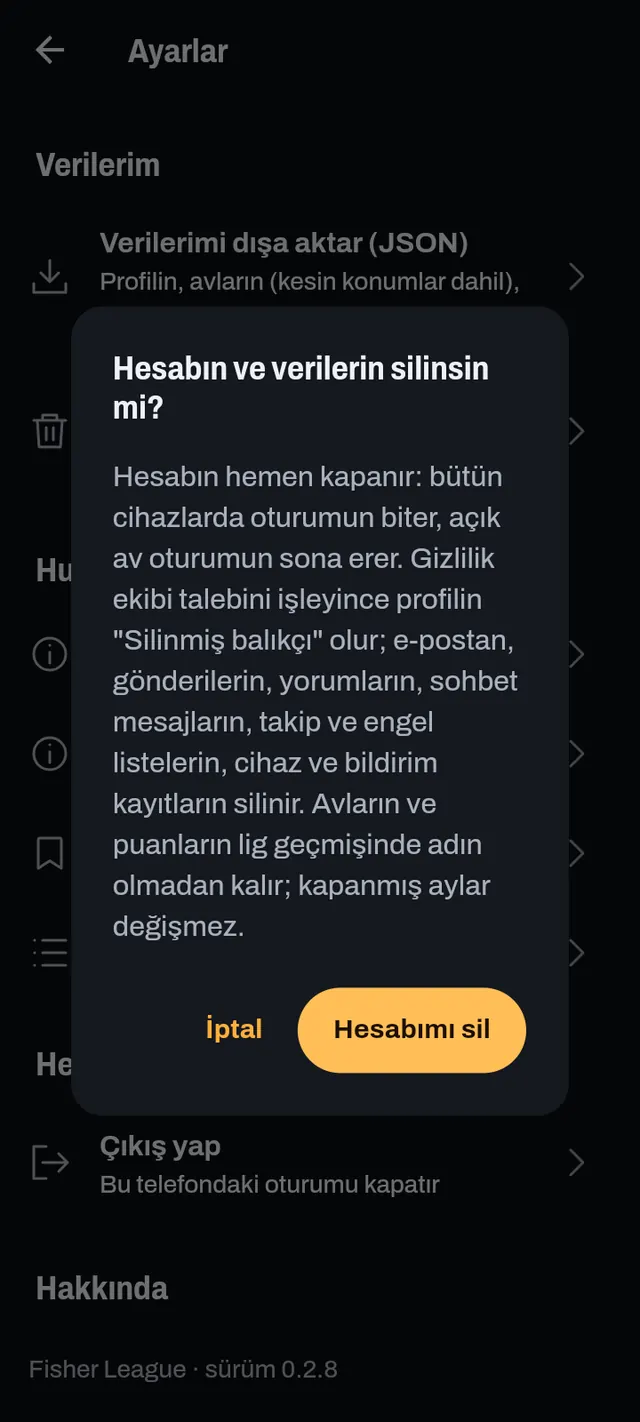
- Under My data, tap Delete my account.The dialog explains what will be deleted.
- Tap Delete my account to confirm.Your account closes at once and you are signed out on every device.
Ask by e-mail
If you can't sign in, send an e-mail with the subject "Delete account" to [email protected] from the address your account uses, and include your username. Once we have confirmed the account is yours we start the deletion and complete it within 30 days. If you only want some of your data deleted, write to the same address.
What is deleted, what stays
| Deleted | Stays, without your name |
|---|---|
| Your e-mail address and sign-in details; your profile becomes "Deleted angler". Your posts and comments. Your chat messages. Your follows and blocks. Your device and notification records. |
Your catches and scores stay in league history, without your name. Closed months' rankings and museum records don't change. |
Your account closes the moment you ask. The rest of your data is deleted when the request is handled, within 30 days at most. Records the law requires us to keep are kept only for that period and then deleted.
How long it takes
| What | When |
|---|---|
| Your account closes and you are signed out everywhere | At once, when you confirm |
| E-mail, posts, comments, messages, lists and device records are deleted | When the request is handled, within 30 days at most |
| Records the law requires us to keep | Only for the legal period, then deleted |
| Your catches and scores in league history, without your name | Indefinitely; closed months' rankings don't change |
Club subscription
Deleting your account does not cancel a store subscription. If you are a Fisher League Club member, cancel first: on Android in Google Play › Payments & subscriptions › Subscriptions, on iPhone in Settings › Apple Account › Subscriptions.
Download your data first
To keep a copy before deleting, tap Settings › My data › Export my data (JSON). The file holds your profile, your catches (with exact locations), your posts and your lists.
More about privacy: Privacy policy.